![Asset 4.png]](https://kb.oneclickapp.com/hs-fs/hubfs/%5B2024%20-%20Q1%5D%20Website%20redesign/Imagery/Asset%204.png?height=36&name=Asset%204.png)
Table of Contents
Rotating Buddies Notifications
Notifications Basics
Push and In-App notifications help teams stay informed and act quickly across the platform. These alerts provide real-time updates for Checklists, Moola, Rotating Buddies, and Infractions.
Store Notification settings
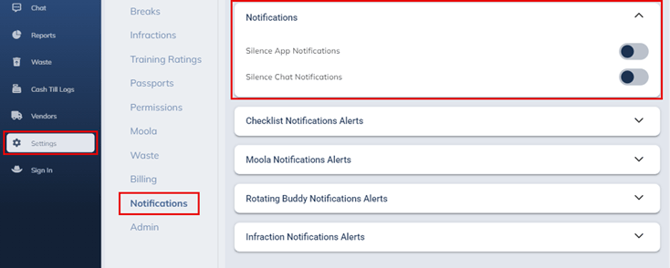
OneClick App notifications can be silenced by a switch of a toggle, or Chat notification can be silenced.
To do this, navigate to settings, notifications and click the “notifications” drop down.
Checklists Notifications
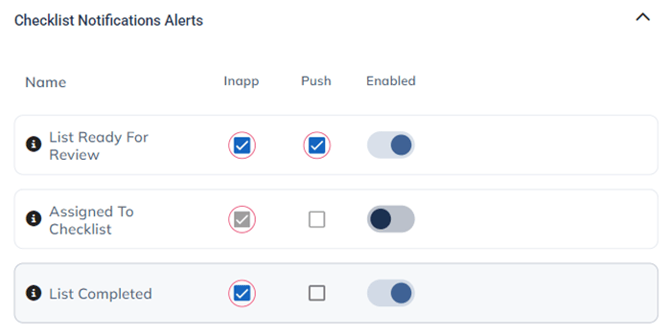
Users now receive notifications for important checklist activity. Team members are notified when a checklist is assigned to them, and leaders are alerted when checklists are completed or left incomplete. When a checklist is ready for review, the reviewer receives a prompt to take action. A weekly recap summary is also sent to highlight the week’s overall checklist progress.
Checklist Notification alerts can be adjusted in the notification settings.
Users with permission level of Director or higher can either enable or disable Inapp, Push or both using the checkboxes or toggle. These settings will affect the entire store’s notifications.
List Ready for Review – Notifies shift leads when a team member has completed a checklist and needs approval.
Assign to Checklist – Alerts a team member when they have been assigned to a checklist by a leader.
List Complete – Displays a confirmation when a checklist has been successfully completed.
Moola (Rewards) Notifications
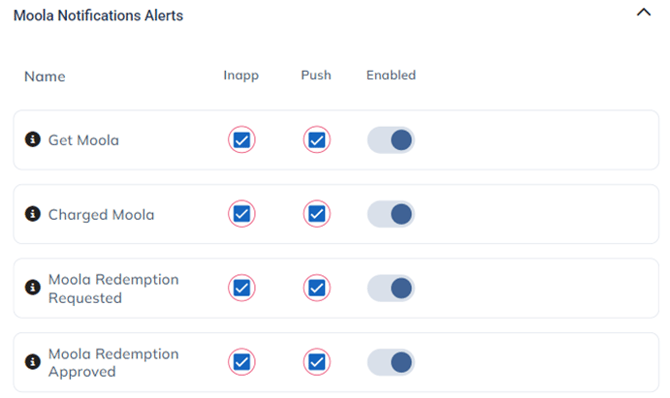
Notifications now keep users updated on their reward activity. Weekly balance summaries are sent to all users, and leaders can view updates showing top balances across their teams. When Moola is earned or spent, a confirmation notification is sent so users can easily track their reward transactions.
Moola Notification alerts can be adjusted in the notification settings.
Users with permission level of Director or higher can either enable or disable Inapp, Push or both using the checkboxes or toggle. These settings will affect the entire store’s notifications.
Get Moola – Alerts when you receive Moola and the reason why it was issued.
Charged Moola – Alerts you when someone charges you Moola and the reason why it was charged.
Moola Redemption Requested – informs anyone with access to the Moola settings when a team member requests a Moola reward. Also informs additional leaders or team members that are added to the item in settings.
Moola Redemption Approved – Informs team member when their request for Moola reward has been approved.
Rotating Buddies Notifications
Rotating Buddies now includes automated reminders and confirmations. Users receive alerts when a new rotation is due, and an additional notification is sent when a rotation is completed or confirmed, helping teams stay on track.
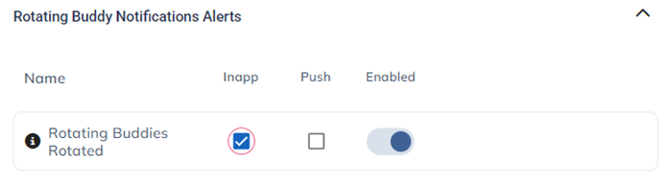
Rotating Buddies Notification alerts can be adjusted in the notification settings.
Users with permission level of Director or higher can either enable or disable Inapp, Push or both using the checkboxes or toggle. These settings will affect the entire store’s notifications.
Rotating Buddies Rotated – Confirms that a team member and their assigned buddy have successfully rotated roles.
Infractions Notifications
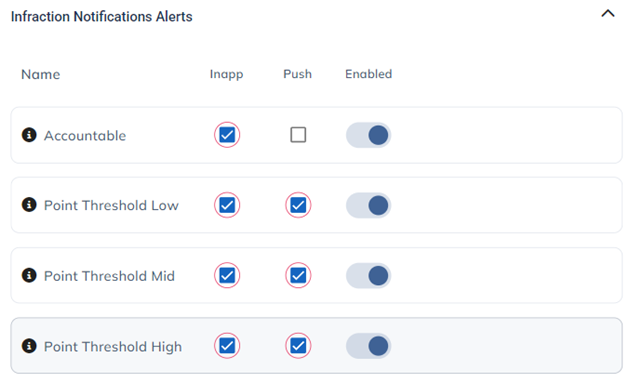
Infraction notifications provide timely visibility into accountability updates. Users and leaders are alerted when a new infraction is issued, and notifications are sent when low, mid, or high accountability thresholds are reached, ensuring teams can respond quickly to any concerns.
Infractions Notification alerts can be adjusted in the notification settings.
Users with permission level of Director or higher can either enable or disable Inapp, Push or both using the checkboxes or toggle. These settings will affect the entire store’s notifications.
Accountable – Alerts for when an infraction is issued.
Point Threshold Low – Notifies when a team member reaches a low accountability threshold and requires action.
Point Threshold Mid – Alerts when a team member reaches a medium accountability threshold and requires follow-up.
Point Threshold High – Warns when a team member reaches the maximum accountability threshold before termination.